
- Business Central
- AI implementation
- Systems integration
ERP automation has changed the way companies handle finance, approvals, documents, reporting, and everyday operational work. But once repetitive processes are automated, another question follows: what comes next? For organizations using Dynamics 365 Business Central, the next stage is increasingly connected to artificial intelligence.
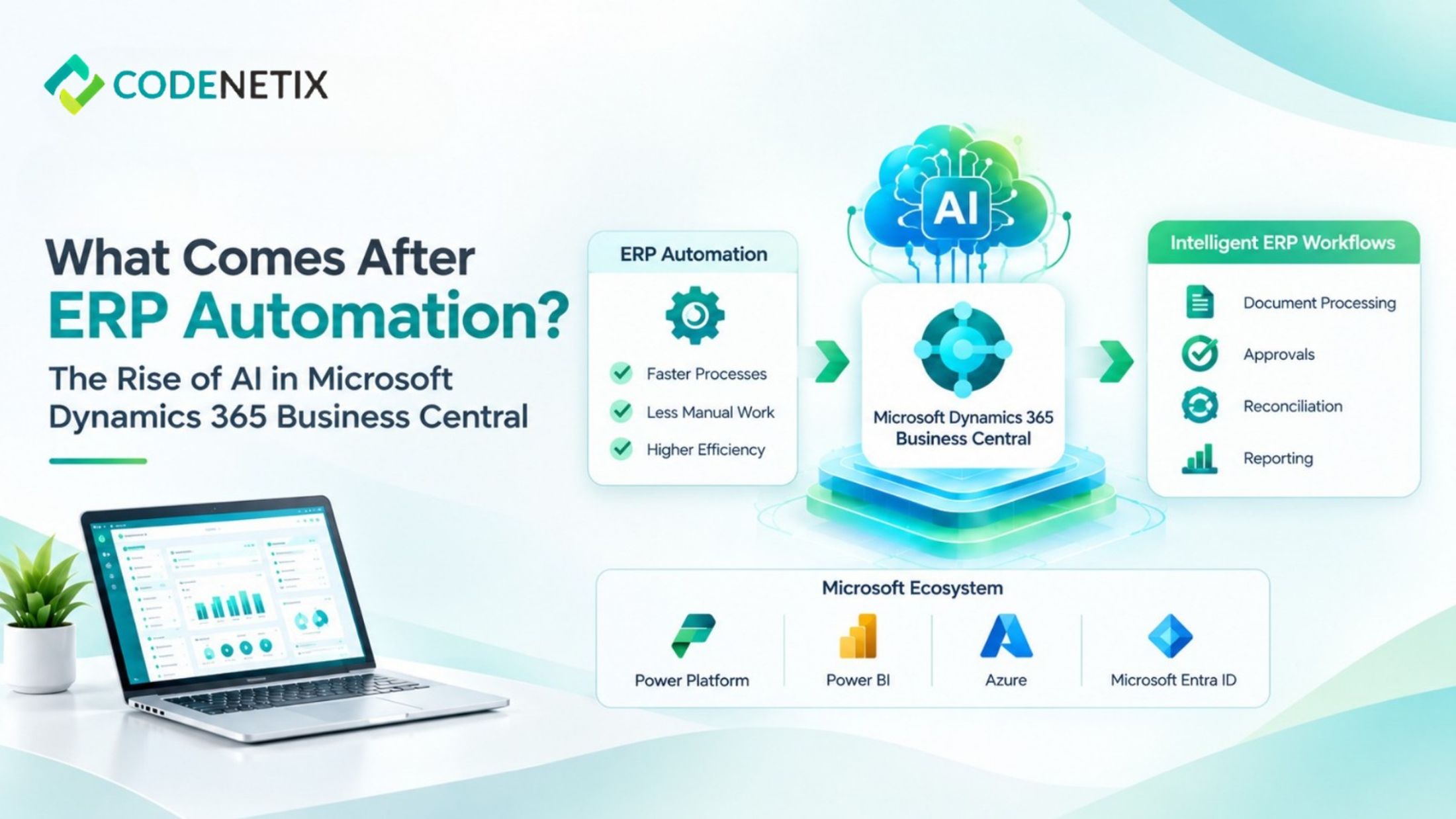
Codenetix places Business Central at the center of finance and operations, treating the ERP as the system of record before extending it with AI implementation and systems integration. The approach brings automation, approvals, document processing, reconciliation, and reporting into the existing ERP environment instead of creating another disconnected process layer.
From Automated Tasks to Intelligent ERP Workflows
Traditional business central ERP deployments establish a common environment for financial management, inventory, purchasing, sales, projects, and related operational processes. Once these activities are connected through Microsoft Dynamics 365 Business Central, businesses can begin looking beyond basic task automation.
Automation generally follows defined rules. AI-supported workflows can work with business information already maintained in the ERP and assist with activities that previously required repeated manual attention.
Codenetix focuses its AI implementation on the work between the ERP and the wider Microsoft environment. Its capabilities include document intelligence, approval workflows, reconciliation, close activities, and reporting. Assistants are grounded in Business Central data and the close calendar, while workflows retain an audit trail for finance teams.
This creates a progression from simply automating individual tasks to connecting those tasks with the information and controls already present in the ERP.
Why Business Central Becomes More Important
The value of Microsoft Business Central ERP in an AI-enabled environment starts with its role as a central system of record.
Codenetix configures Microsoft Dynamics 365 Business Central around the organization's operating model. Finance, operations, and technology teams first establish how activities such as close, inventory, and order-to-cash should work. Business Central is then configured around that design.
That foundation matters when AI is introduced.
An AI workflow needs reliable business information. When financial transactions, inventory records, approvals, and operational information are separated across unrelated tools, automation can create another layer that needs to be controlled. Codenetix instead keeps AI implementation on the ERP, allowing Business Central to remain the underlying source of business information.
Connecting AI with the Microsoft Platform
The move beyond ERP automation does not happen through Business Central alone. The wider Microsoft environment can also become part of the program.
Codenetix lists Power Platform, Power BI, Azure, Microsoft Entra ID, and Business Central among the technologies used within its Microsoft transformation work.
For businesses already working with the Microsoft Power Platform, this creates opportunities to connect workflows and applications around the ERP.
Power automate in Business Central, for example, can support workflow-based processes where approvals and other activities need structured routing. Power BI and Business Central can also be relevant when organizations need reporting and analytics connected to Business Central information.
The purpose is not to introduce every available Microsoft capability. Codenetix's approach is to extend the ERP only where the additional technology serves the required business outcome.
AI Automation With Financial Controls
For finance leaders, introducing AI into an ERP environment also raises questions about visibility and accountability.
Codenetix specifically describes an audit trail that a controller can accept. Document, approval, and reconciliation workflows remain on the ERP, while assistants are grounded in Business Central data. Scoped releases are designed so that the operating committee can measure what changes after implementation.
This makes governance part of the automation process rather than something considered after deployment.
For organizations planning ERP implementation services, that distinction is important. An ERP program has to account for configuration, licensing, data migration, testing, cutover, and training. Codenetix also includes hypercare after go-live, with standing support available when additional change capacity is required.
Where AI Fits After ERP Automation
The next stage of ERP business central is therefore not necessarily about replacing the existing system. It is about extending the workflows that already depend on it.
Codenetix's model starts with Business Central and adds AI implementation and systems integration on the same Microsoft program. Business Central can connect with CRM, commerce, payroll, and analytics, while APIs and pipelines are used for non-Microsoft systems when the ERP outcome requires them.
This gives organizations a structured path forward. The ERP remains the central record, automation handles repetitive activities, and AI can support selected processes such as approvals, document processing, reconciliation, close, and reporting.
For companies already using Microsoft Dynamics 365 Business Central, the move toward AI can therefore become an extension of the existing ERP strategy rather than a completely separate technology initiative. The focus stays on the operating model, the data within Business Central, and the controls surrounding each workflow.
As ERP automation continues to mature, AI adds another layer of capability, but its usefulness depends on how well it fits the system of record. With business central at the center, organizations can build AI-supported processes while keeping finance, operations, integrations, and governance connected to the same ERP environment.